How to convert audio to MIDI (MP3, WAV, humming): what works and how to clean it up
Audio-to-MIDI converters turn a recording into notes you can edit. What converts well, the free and built-in tools in Logic, Ableton, FL Studio and the browser, and a 5-step clean-up so the MIDI is actually usable.
An audio-to-MIDI converter listens to a recording and writes down the notes it hears: which pitch, when it starts, how long it lasts and how loud it is. You get a .mid file you can play with any instrument sound, transpose, or edit in a DAW. New open models have made this a lot better and cheaper in 2026, but the rules for good results have not changed.
What converts well, and what does not
- Good: one instrument or voice at a time. A sung or hummed melody, a bass line, a solo piano, a guitar riff.
- Okay: simple chords on piano or guitar. Expect some missing or extra notes.
- Hard: a full mixed song. Vocals, bass, pads and drums overlap, so the converter mixes them into one cloud of notes.
- Different job: drums. Pitched converters ignore them or turn cymbals into random high notes. Use a "drums to MIDI" mode if your tool has one.
Step 1. Isolate the part first
The single biggest improvement is giving the converter one part. If you only have the full song, run a stem separator first (many DAWs and apps can split vocals, drums, bass and the rest) and convert just the vocal or the bass stem.
Step 2. Pick a converter
- Logic Pro: Flex Pitch on a monophonic track, then "Create MIDI Track from Flex Pitch Data".
- Ableton Live: right-click a clip: Convert Melody, Harmony or Drums to New MIDI Track.
- FL Studio: NewTone, then "Send to piano roll".
- Cubase: VariAudio, then "Extract MIDI".
- Free in the browser: Spotify's open-source Basic Pitch (it runs on your computer, the audio is not uploaded). There are also new open models such as dettato for people comfortable running code.
Step 3. Set the tempo before you convert
If the MIDI file has the wrong tempo, every note lands between grid lines and editing is painful. Find the song's BPM first and set your project to it, or tell the converter. Then the bars in the MIDI line up with the bars in the audio.
Step 4. Clean up in five minutes
- Delete ghost notes: quiet notes exactly an octave or a twelfth above a loud note are usually overtones, not real notes.
- Remove very short notes (under about 1/32) that come from consonants, picking noise or breath.
- Quantize gently, for example 50 to 70% to 1/16, so it still feels played.
- Check the key: notes outside the song's key are often mistakes. Fix them by ear.
- Even out velocity if the result sounds bumpy on a new instrument.
Humming an idea into MIDI
Hum or sing on "da" rather than "la" so each note has a clear start, keep a steady volume, record in a quiet room and stay close to the microphone. Sing a little slower than you think. You can speed the MIDI up later without losing notes.
Copyright in one line
Transcribing a song to learn it or to practise is everyday musicianship. Publishing or selling a MIDI of someone else's composition, or of a melody taken from their recording, can need permission. When in doubt, use the MIDI for practice or for your own original parts.
Doing it on your phone with Faderjam
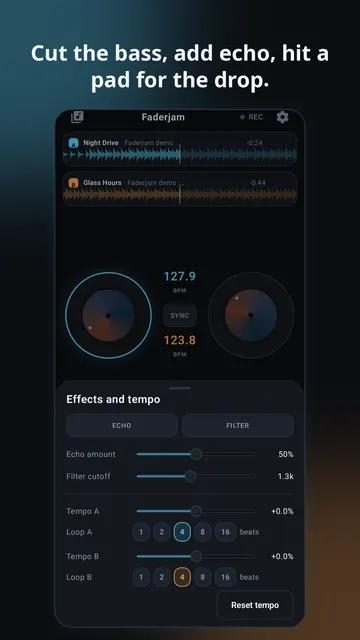
Faderjam, a two-deck DJ mixer for Android, can turn a loaded track into a MIDI file on the phone. Open Stems on a deck, pick the source (the whole track, the vocal, or the music without vocals and drums) and tap Make MIDI. It uses the open Basic Pitch model, writes the tempo from the track's BPM, removes most overtone ghost notes, and lets you preview, save or share the .mid file. Nothing is uploaded. Like every converter it is best on clear melodies and chords and it does not transcribe drums.