New Year countdown on your phone: turn it into an LED sign
How to show a New Year countdown to midnight as a big LED sign on your phone or tablet for a party or a crowd, and what happens at 00:00.
On New Year's Eve, a countdown everyone can see makes the last minutes feel like an event. A phone or tablet held up, or a tablet on a shelf, can do it as a scrolling LED sign.
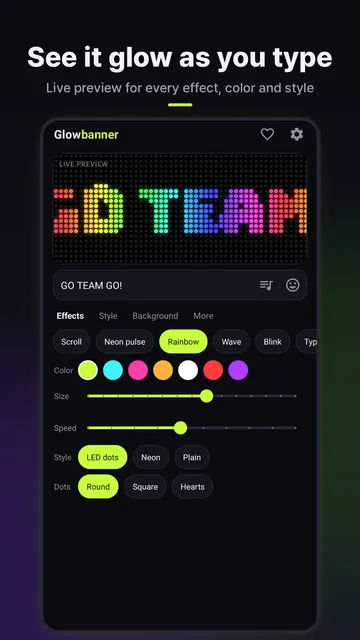
Setting it up in Glowbanner
- Open Glowbanner and tap More > Pick a scene > New Year countdown.
- Change the message if you like. It is shown when the year turns, for example "HAPPY NEW YEAR".
- Pick a color, LED dots or neon style, and a background.
- Tap Show banner and turn the phone sideways.
The sign counts down days, hours, minutes and seconds to midnight on your phone's clock. The last 10 seconds are shown as big single numbers, then your New Year message lights up for an hour.
Tips for a party
- Check your phone's time is set automatically, so the countdown matches TV and fireworks.
- Plug in a charger and turn up the screen brightness.
- For a bigger screen, cast or mirror the phone to a TV.
- At concerts and crowded countdowns, keep it low enough not to block the people behind you.