How to scan a document and sign it as a PDF on your phone
Turn a paper form into a clean PDF with your phone camera, add a signature and send it, with tips for sharp, straight, readable scans.
Someone sends you a form to "print, sign, scan and send back", and you have no printer or scanner. A phone does all of it, and the result can look as clean as a flatbed scan if you follow a few rules.
1. Light and background
Put the page on a dark, plain surface so the edges stand out, near a window or under even light. Avoid the phone's flash: it leaves a bright spot. Do not stand so that your own shadow falls on the page.
2. Hold the phone flat above the page
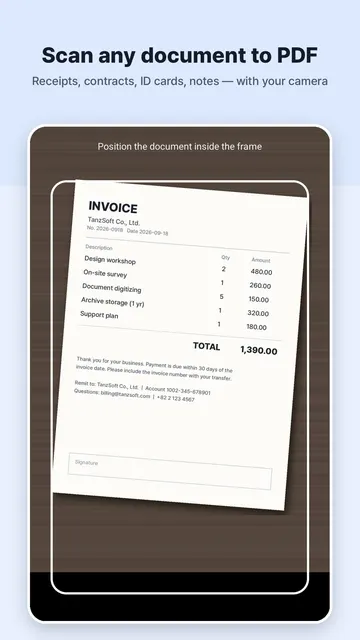
Hold the phone parallel to the paper. A good scanner app finds the four corners and straightens the page for you, but the closer to flat you start, the sharper the text is at the edges.
3. Pick the right look
Black and white makes text crisp and files small, which is good for forms and contracts. Use colour for receipts with coloured stamps, ID cards and anything with a photo.
4. Put all pages in one PDF
Scan page after page into the same document instead of sending five separate images. Check the order before you save.
5. Sign
Draw your signature once with a finger or stylus and place it on the signature line. Make it large enough to look natural when printed. Add the date as text if the form asks for it.
6. Make it searchable and small
Text recognition (OCR) lets the receiver search and copy the text. If the file is too large for an email or upload form, compress it before sending.
7. Keep sensitive scans private
IDs, contracts and bank letters should not be uploaded to a service you do not trust. Prefer an app that processes everything on the device.
Doing it with PDF Angel
PDF Angel scans with automatic edge detection and perspective correction, lets you scan several pages into one PDF, sign it, merge or split PDFs, compress them and extract text with OCR. Everything runs on your phone.