About the app
PDF Angel is a Document Scanner app that captures paper pages with your phone camera, corrects their perspective using automatic edge detection, and saves them as PDF files. It also lets you merge, split, compress and password-protect PDFs and pull text from scans with OCR, all on your device with no account or uploads. It suits anyone digitizing receipts, ID cards, contracts or whiteboard notes who wants to keep documents private.
Document Scanner - PDF Angel turns your phone into a free document scanner and PDF toolbox in one app. Scan paper to PDF with automatic edge detection, then merge, compress and extract text with OCR, all offline.
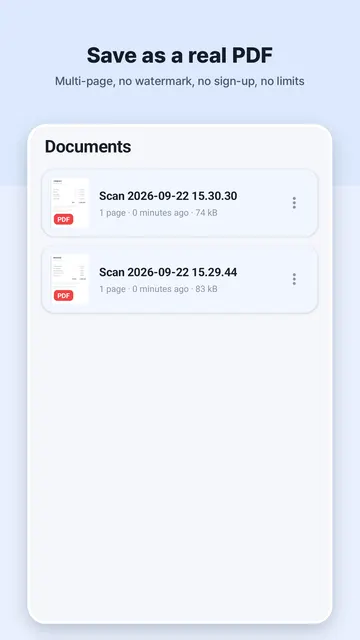
No watermark, no sign-up, no limits. Everything runs entirely on your device: nothing is ever uploaded to a server, so your documents stay private.
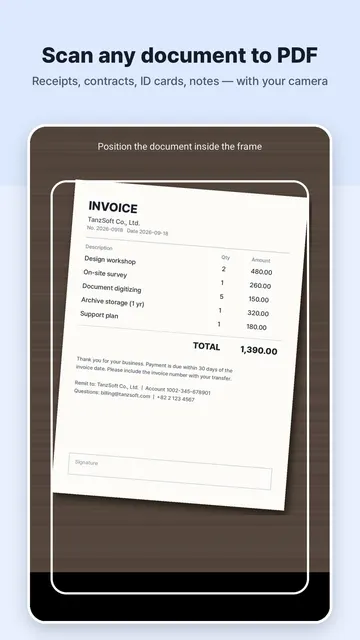
Use your camera to scan any paper document, receipt, ID card, note, book page or whiteboard. Smart auto edge detection finds the page and corrects the perspective, so you get a clean, flat, professional scan every time.
Use it as a receipt scanner, ID card scanner, book and notes scanner, or a quick image to PDF converter. When the scan is done, the built-in PDF editor tools help you organize, protect and share your files.
DOCUMENT SCANNER
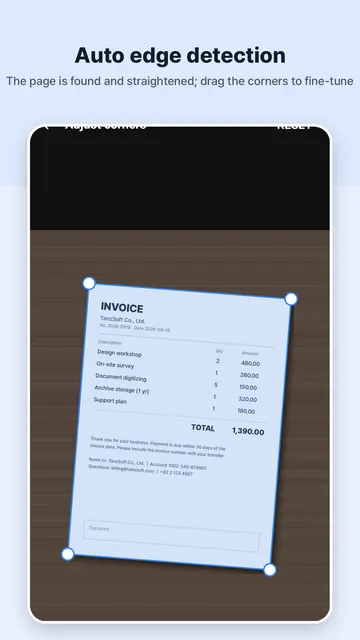
- Automatic edge detection and perspective correction
- Adjust the corners by hand for a perfect crop
- Multi-page scanning: build a full document in one go
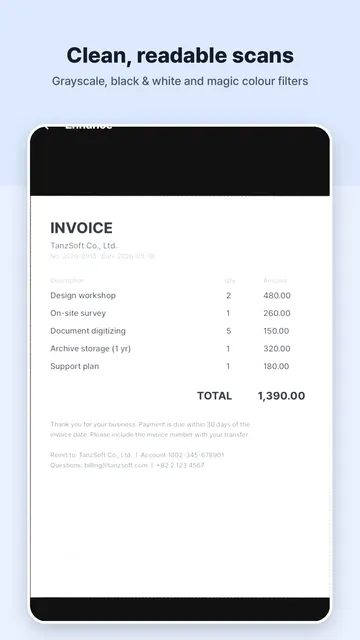
- Enhance filters: Original, Grayscale, Black & White, Magic Color
- Save directly as a high-quality PDF or image
PDF TOOLS
- Images to PDF: turn photos into a single PDF file
- Merge PDF: combine several PDFs into one
- Split PDF: extract any page range
- Rotate pages
- Compress PDF: shrink the file size for easy sharing
- Password protect: encrypt a PDF, or remove an existing password
OCR TEXT EXTRACTION
- Recognize and extract text from your scans, fully on device
- Copy or share the extracted text
GETTING STARTED
- Point your camera at a page and let edge detection find it
- Drag the corners by hand if you want a tighter crop
- Keep scanning to add more pages to the same document
- Pick a filter, then save as a PDF or image
- Open the PDF tools to merge, split, rotate, compress or lock your files
WHO IS IT FOR
- People who need to digitize receipts, ID cards, contracts or whiteboard notes
- Anyone who wants a free PDF scanner without watermarks or account sign-ups
- Users who want to merge, split or compress PDF files privately on their phone
TIPS FOR BETTER SCANS
- Try Black & White for text-heavy pages like contracts and forms
- Try Magic Color or Grayscale on receipts, notes and colored pages
- Split out only the pages you need before you share a long PDF
- Copy OCR text to reuse it in notes, emails or messages
- Compress a large PDF before you share it
- Add a password before sending a sensitive file
FAQ
- Is it free? Yes. The app is free to use and supported by a single small banner ad.
- Do I need an account? No. There is no sign-up and no account.
- Does it add a watermark? No, your scans and PDFs have no watermark.
- Does it need the internet? No. Scanning, OCR and PDF processing work offline.
- Are my files uploaded? No. Nothing is ever uploaded to a server.
100% PRIVATE & OFFLINE
- All scanning, OCR and PDF processing happen on your device
- No internet needed, no account, no cloud upload
- Free to use, supported by a single small banner ad
WHY CHOOSE PDF ANGEL
- Complete privacy: OCR and scanning happen offline with no cloud uploads
- Professional results: auto edge detection and perspective correction for clean scans
- Versatile toolbox: convert images to PDF, encrypt files and extract text on device
Whether you need to scan contracts, digitize receipts for expenses, save a copy of your ID, or share notes as a tidy PDF, PDF Angel does it fast, right on your phone.
Download PDF Angel today and carry a full scanner and PDF editor in your pocket.