About the app
Seamshot is an Android Long Screenshot tool that merges several screen captures into one continuous image, trimming the repeated bars between shots, and can capture long scrolling pages without an accessibility service. It suits anyone combining gallery images into a vertical image or panorama, turning a long capture into an A4 PDF, or splitting a tall image into even pages for social media. It works offline on your phone with no account.
Long Screenshot made simple: stitch a pile of screenshots into one clean, long image with automatic seam removal, scroll capture and PDF export.
Seamshot joins your screen captures into a single scrolling screenshot and removes the repeated seams for you, so the result reads like one continuous page.
STITCH SCREENSHOTS
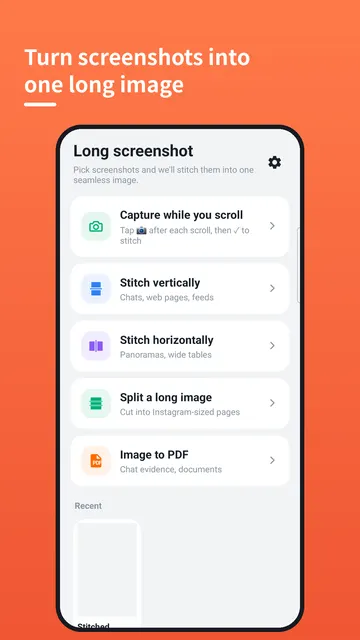
- Pick screenshots from your gallery and stitch them vertically into one long image
- Overlap detection removes the repeated status bar, toolbar and navigation bar between shots
- Drag to reorder or delete pages, and adjust the seam by hand whenever you want to
- Horizontal stitching too, for panoramas and wide tables
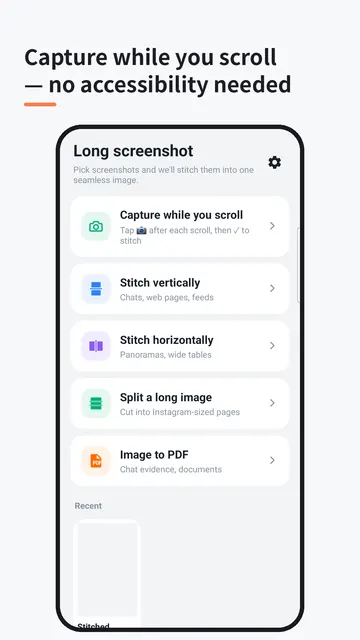
CAPTURE WHILE YOU SCROLL
- Start capture, then scroll any app yourself and tap the floating camera button after each scroll
- Tap the check button to finish, and Seamshot stitches the shots automatically
- No accessibility service, nothing runs in the background
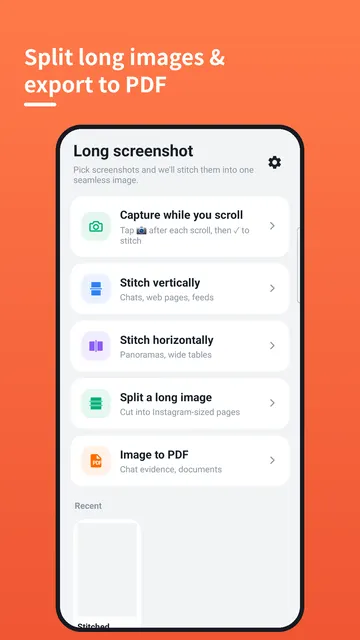
SPLIT & EXPORT
- Split one long image into evenly sized pages (1:1, 4:5, 9:16 or custom) with overlap
- Export as PNG, JPG or a single A4 PDF, great for chat evidence and documents
- Hide parts with mosaic or black bars before you share
- Add a card background and a watermark to finish the look
GETTING STARTED
- To merge existing images: pick your screenshots from the gallery, let overlap detection trim the repeated bars, then reorder, delete or fine-tune any seam
- To capture a scrolling page: start capture, scroll the app yourself, tap the floating camera button after each scroll, then tap the check button to finish
- Export the result as PNG, JPG or an A4 PDF, or split it into pages first
WHO IT IS FOR
- Anyone who wants to combine multiple gallery images into a single vertical image or a horizontal panorama
- People who want to capture long scrolling pages without a background accessibility service
- Anyone who needs to turn a long capture into an A4 PDF document
- Anyone who wants to split a tall image into evenly sized pages for social media
- Users who value privacy and prefer an offline tool with no account or sign-up
TIPS
- Keep the check button for last: tap it only after your final scroll and shot
- If a seam does not look right, adjust it by hand instead of retaking the shots
- Reorder or delete pages if a shot came out twice or in the wrong order
- Use overlap when splitting so no line of text gets cut between pages
- Cover names, numbers or other sensitive details with mosaic or black bars before sharing chat evidence
- Choose horizontal stitching for wide tables and panoramas
FAQ
- Does Seamshot need an accessibility service? No. You scroll yourself and tap the floating camera button, and nothing runs in the background.
- Do my screenshots get uploaded? No. Everything runs on your phone and your screenshots never leave the device.
- Do I need an account? No account, no sign-up.
- Which export formats are available? PNG, JPG or a single A4 PDF.
- Can I stitch sideways? Yes, horizontal stitching works for panoramas and wide tables.
PRIVACY & PERMISSIONS
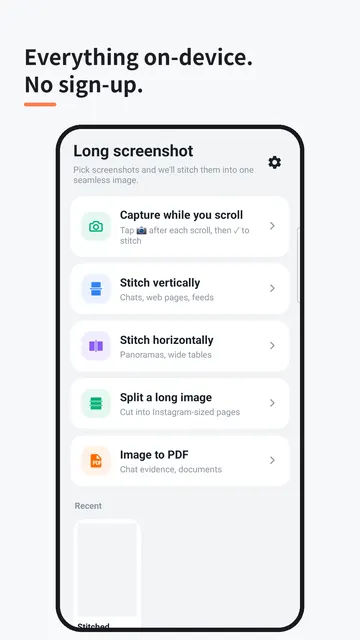
- Everything runs on your phone. Your screenshots never leave the device.
- An offline tool, with all stitching and editing done on your device
- No accessibility service and nothing running in the background
- No account, no sign-up
Seamshot turns scattered screenshots into one tidy long screenshot, a split set of pages or a ready-to-share PDF, right on your phone.
Made by TanzSoft.