
About the app
MakeUpick is a beauty camera app that lets you preview skin retouching, makeup looks, filters, background blur and stickers on your own face in real time before you take a photo or record a video. It also works as a photo editor for existing gallery pictures. It suits anyone who wants skin smoothing, face slimming or quick virtual makeup, and anyone who prefers all processing to stay on the phone.
Beauty Camera with real-time skin retouch, makeup looks, 30 filters, background blur and stickers. See every option on your own face before you tap it, then take the photo or video.
MakeUpick keeps things simple: pick a style, pick a look, pick a filter, then shoot. Use it as a selfie camera, a makeup camera, and a photo editor for pictures already in your gallery. Whether you want a light retouch or a full makeup look, you stay in control of every detail.
BEAUTY
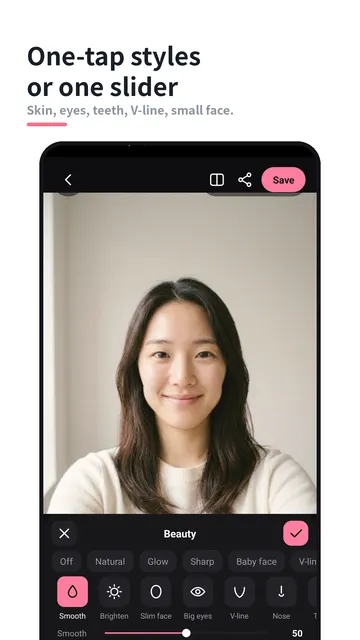
- One-tap styles: Natural, Glow, Sharp, Baby face, V-line
- Skin smoothing and brightening that keeps texture, so skin still looks like skin
- Face reshaping: slim face, big eyes, V-line, nose, small face
- Teeth whitening, brighter eyes, dark-circle cover and skin tone
- Every item has one slider with a number, plus a hold-to-compare button to check before and after
MAKEUP
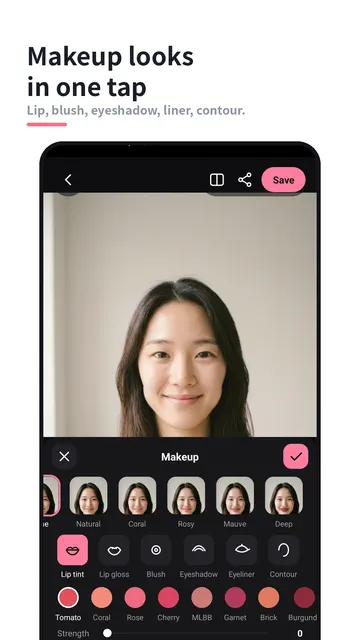
- Makeup looks in one tap: Natural, Coral, Rosy, Mauve, Deep
- Lip tint with named shades, lip gloss, blush colors, eyeshadow, eyeliner and contour
- Adjust the strength of each item separately for a soft or bold result
FILTERS
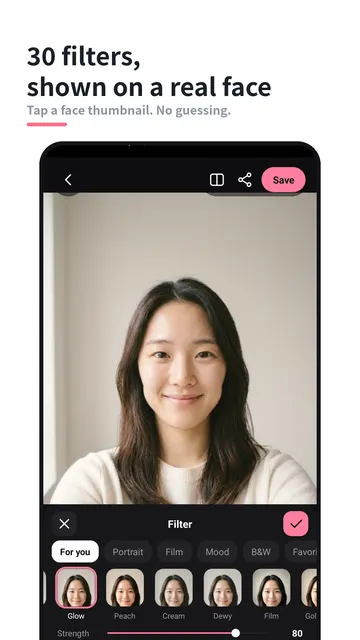
- 30 filters in four groups: Portrait, Film, Mood, Black & White
- Each filter is previewed on a face thumbnail, not a color dot
- Long-press a filter to add it to Favorites
MORE CAMERA TOOLS
- Background blur that keeps you sharp, powered by on-device person detection
- Stickers: cat ears, bunny ears, heart cheeks, sparkle, glasses, flower crown
- Photo and video with the same effects, on the front and back camera
- Timer, 3:4 / 1:1 / 9:16 aspect ratios, grid and flash
EDIT GALLERY PHOTOS
- Apply the same beauty, makeup and filters to any photo
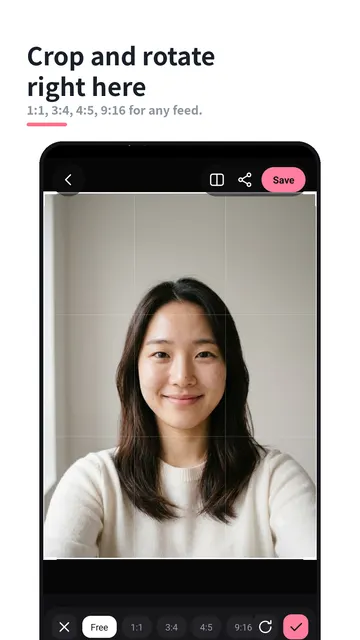
- Crop (free, 1:1, 3:4, 4:5, 9:16) and rotate
- Brightness, contrast, saturation, warmth, vignette and sharpen
GETTING STARTED
- Open the app and choose the front or back camera
- Pick a one-tap beauty style, then fine-tune any item with its slider
- Add a makeup look and adjust the strength of each item
- Choose a filter from Portrait, Film, Mood or Black & White
- Set the timer, ratio, grid or flash, then take a photo or record a video
WHO IT IS FOR
- Anyone who wants a selfie camera with skin smoothing and face slimming
- People who like quick virtual makeup looks such as Coral, Rosy or Mauve
- Users who need a photo editor with background blur and a range of filters
- Anyone who values privacy and wants all processing to stay on the phone
TIPS
- Start with a one-tap style, then adjust single sliders instead of starting from zero
- Hold the compare button to see the difference a setting makes
- Long-press the filters you use most so they are always in Favorites
- Turn on background blur for portrait-style shots that keep the focus on you
- Use the timer and grid for steady, hands-free shots
FAQ
- Do I need an account? No. There is no account and no sign-up.
- Are my photos uploaded? No. Everything runs on your phone, and photos, videos and face data never leave the device.
- Can I edit older photos? Yes. Apply beauty, makeup and filters to any gallery photo, then crop, rotate and adjust.
- Does it work for video? Yes. Photo and video use the same effects.
- Can I use the back camera? Yes. Photo and video work on both the front and back camera.
- Can I change how strong the makeup is? Yes. Each makeup item has its own strength setting.
PRIVACY
- Everything runs on your phone
- Photos, videos and face data never leave the device
- No account, no sign-up
MakeUpick is made by TanzSoft. Try every look on your own face before you shoot.