About the app
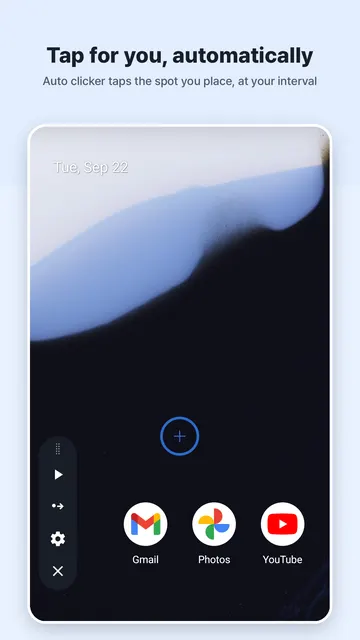
Clickpus is an Auto Clicker Tapper for Android that repeats taps on the spots you place on your screen, following the timing you pick. It handles a lone target, a sequence of several targets tapped in order, and swipe gestures, with presets for switching between saved setups. It suits anyone who wants to hand off repetitive tapping and rest their fingers, especially those who need adjustable intervals and press-and-hold times.
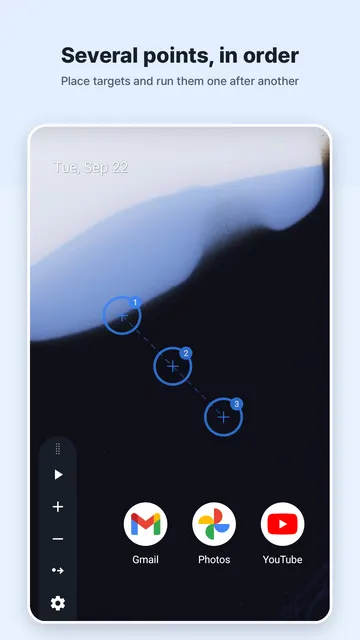
Auto Clicker Tapper that taps the exact spots you place on your screen, at the interval you choose. Clickpus supports a single point, multiple points in order, and swipe gestures.
Give your finger a rest when something needs the same tap hundreds of times. Set it up once, start it, and let the automatic tapper repeat the taps for you.
WHAT YOU CAN DO
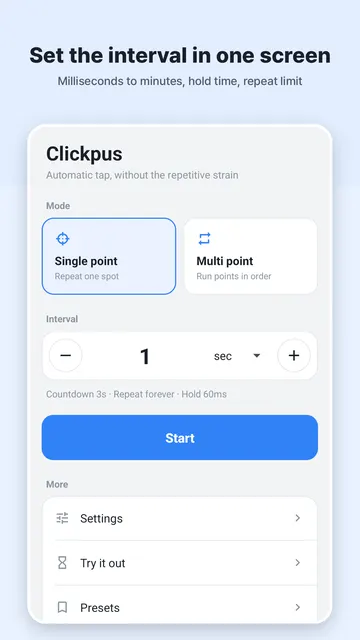
- Single point — repeat a tap on one spot at your interval
- Multiple points — place several targets and tap them in order
- Swipe — turn a point into a drag gesture instead of a tap
- Intervals from milliseconds to minutes, and your own press-and-hold time
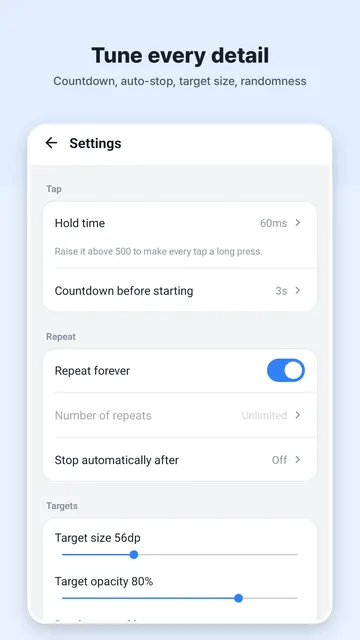
- Limit the number of repeats, or stop automatically after a set time
- Save a whole setup as a preset and switch between them
- Random deviation — nudge the timing and position so it is not perfectly even
GETTING STARTED
- Turn on the Clickpus accessibility service so it can dispatch taps and swipes
- Place a point where you want the auto tap to land, or add several points for a sequence
- Choose your click interval and press-and-hold time
- Decide when to stop: after a number of repeats or after a set time
- Try it on the practice screen first, then save it as a preset
A PRACTICE SCREEN INSIDE THE APP
Before you use it anywhere else, try your settings inside Clickpus. The practice screen counts the taps and swipes it receives, so you can see exactly what your settings do.
TIPS
- Check every new setup on the practice screen before using it elsewhere
- Use presets to keep different setups ready and switch between them quickly
- Add random deviation if you prefer taps that are not perfectly even in timing and position
- Set a repeat limit or a time limit so the auto clicker stops on its own
- Turn a point into a swipe when you need a drag gesture instead of a tap
WHO IS THIS FOR?
- People who want to automate repetitive tapping to give their fingers a rest
- Users who need a customizable auto tapper with adjustable intervals and press-and-hold times
- Anyone looking for a tap tool that supports both single-point clicks and multi-target sequences
WHY IT USES THE ACCESSIBILITY SERVICE
Android only lets an app tap the screen for you through the accessibility service. Clickpus uses that permission for one thing only: dispatching the taps and swipes you set up.
- It does not read the contents of your screen
- It does not record what you type
- It cannot tell which app you are using
- It never decides anything on its own — it repeats the positions and timing you set
PRIVACY
Your settings and presets stay on your device and are never sent to any server. There is no sign-up.
COMMON QUESTIONS
- How do I know if my settings work? Use the built-in practice screen to count taps and swipes before using the app elsewhere.
- Is my data safe? Your presets are stored locally on your device, there is no sign-up, and the app does not read your screen or record typing.
- Why is the accessibility service required? This permission is used only to perform the taps and swipes you configure.
- Is the app free? Yes, it is free and supported by a small banner ad.
NOTES
- You can turn the accessibility service off at any time in Settings.
- Some apps and secure screens do not receive injected taps — that is an Android policy we cannot bypass.
FREE
Clickpus is a free auto clicker and screen tapper, supported by a small banner ad. There is no sign-up, so you can set up your first tap right away.