About the app
Odabi is an AI Quiz Maker & Test app that turns photos of workbook pages and PDFs into digital practice tests. It pulls out the questions, choices and answers so you can work through them one at a time and get graded on the spot. It suits students getting ready for school exams, learners pursuing professional certifications, and anyone who wants to digitize paper workbooks and track their mistakes through an automatic review note.
AI Quiz Maker & Test - Odabi turns your paper workbook into a digital quiz. Snap a photo or upload a PDF, and AI builds a practice test you can solve question by question, with instant grading and an automatic review of every mistake.
Stop copying questions out by hand. Photograph a workbook page or an exam sheet, and Odabi pulls out the questions, answer choices and answers for you. Then solve them one at a time, see your score right away, and let the app collect everything you got wrong into a review note.
ADD QUESTIONS BY PHOTO OR PDF
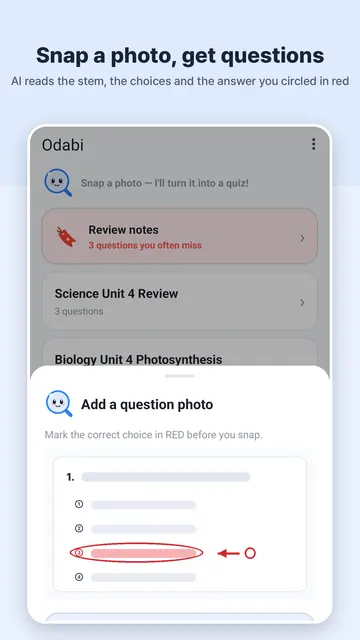
- Photograph a workbook or exam, or upload a PDF, and AI automatically extracts the questions, choices and answers.
- Mark the correct choice in red and it is registered as the answer.
- Capture multiple pages at once with continuous camera capture.
- Turn paper practice problems into an interactive test in a few simple steps.
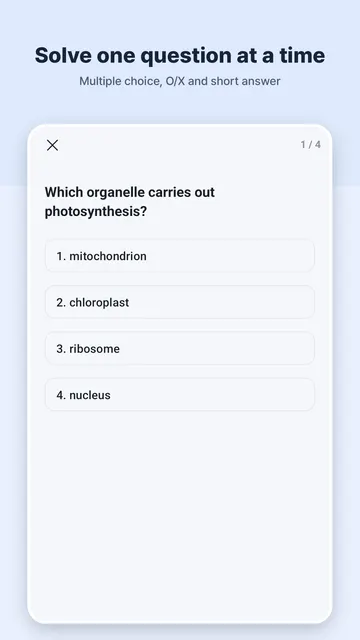
SOLVE ONE BY ONE WITH INSTANT GRADING
- Supports multiple-choice, O/X (true or false) and short-answer questions.
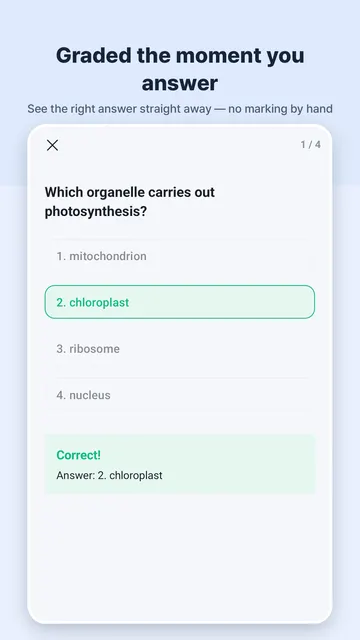
- Every answer is graded on the spot, so you know right away where you stand.
- Scores and history are saved automatically.
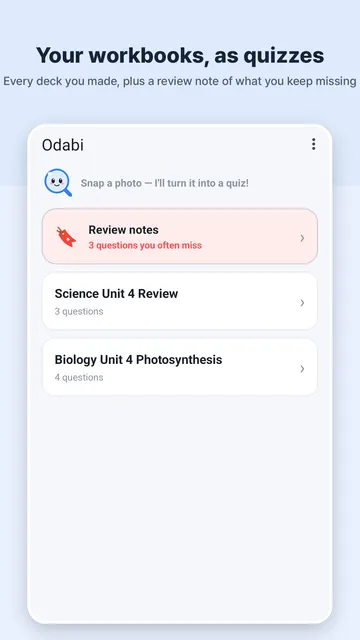
AUTOMATIC WRONG-ANSWER NOTE
- Missed questions are collected into a review note with no extra work.
- Frequently missed questions are grouped together for focused review.
- Go back to your weak spots instead of re-reading the whole workbook.
RECORDS & STATS
- See your scores and study history for each deck.
- Look back at past results to see how your practice is going.
GETTING STARTED
- Open the app and photograph a workbook page, or upload a PDF.
- Use continuous capture to add several pages in one go.
- Let AI extract the questions, then start solving.
- Check your grade, then open the review note to retry your mistakes.
WHO IS IT FOR
- Students preparing for school exams, quizzes and tests.
- Learners studying for professional certifications.
- Anyone who wants to digitize paper workbooks into interactive practice tests.
- Learners who want an automated way to track and review their mistakes.
STUDY TIPS
- Mark the correct answers in red before you take the photo so they are registered automatically.
- Keep related pages in one deck so scores and history are easy to follow.
- Revisit the frequently missed group before an exam for focused review.
- Use the wrong-answer note as a quick self-check the day before a test.
FAQ
- Where is my study data stored?
Your study data stays on your device.
- What happens to the photos I take?
Recognition images are discarded right after processing.
- Is it free?
Yes, Odabi is free to use. You can watch an ad to earn more daily recognitions.
- What question types are supported?
Multiple-choice, O/X and short-answer questions, all graded instantly.
- Can I use PDFs instead of photos?
Yes, you can upload a PDF and AI extracts the questions from it.
PRIVACY & PERMISSIONS
- The camera is used to photograph workbook and exam pages for question recognition.
- Study data is kept locally on your device.
- Recognition images are discarded right after processing.
FREE TO USE
- Odabi is free to use.
- Watch an ad whenever you want to earn more daily recognitions.
Whether you need a quiz maker, test maker, practice test creator or exam prep tool, the idea is simple: turn paper questions into a digital quiz and learn from every mistake.
Study smarter for school exams and certifications with Odabi.