About the app
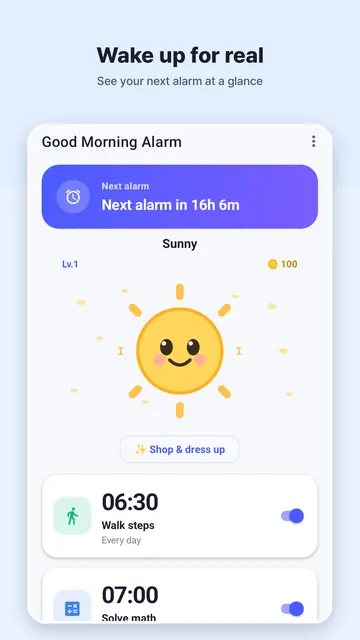
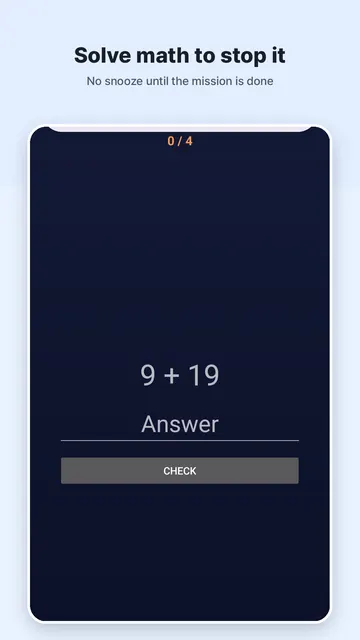
Good Morning Alarm Clock is an Android alarm that keeps ringing until you complete a wake-up mission, such as solving math problems, repeating a memory sequence, walking steps, or scanning a QR code in another room. It suits heavy sleepers, people who keep hitting snooze, and anyone building a better morning routine. Alarms, stats and mission data stay on your phone, with no ads and no account required.
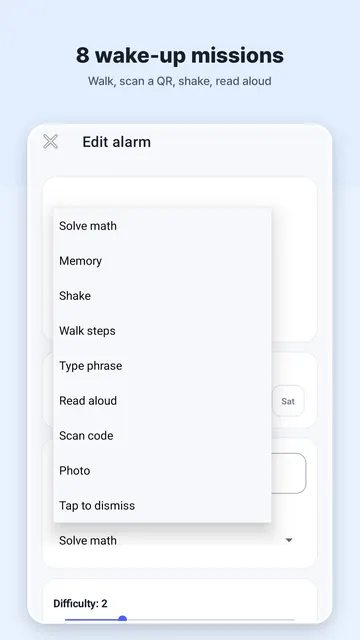
Good Morning Alarm Clock is a mission alarm clock that will not turn off until you are really awake. Instead of a snooze button you can slap in your sleep, you finish a wake-up mission - math, memory, shake, steps, typing, reading aloud, QR scan or photo - before the alarm stops. Free, no ads, no account.
Use it as a wake-up alarm for heavy sleepers, a morning alarm clock with puzzles, or a simple way to stop hitting snooze. Every alarm, mission and stat stays on your phone.
100% FREE. NO ADS. NO ACCOUNT. Everything runs on your device.
8 WAKE-UP MISSIONS
- Solve math — clear a few problems to dismiss the alarm
- Memory — repeat a light-up sequence to get your brain going
- Shake — shake the phone until you are awake
- Walk steps — get out of bed and take real steps
- Type a phrase — type a morning affirmation
- Read aloud — say the phrase out loud (on-device speech)
- Scan a code — scan a barcode or QR code placed in another room
- Photo — snap a registered spot to prove you are up
SMARTER THAN A SNOOZE BUTTON
- Adaptive difficulty — missions get harder when you snooze a lot, and ease off after clean wake-ups
- Snooze limits — cap how many times you can snooze, or turn snooze off entirely
- Gentle sunrise screen and gradual volume fade-in for a softer start
- Spoken time briefing to greet your morning
- Wake-up streaks and stats to keep you honest
RELIABLE WAKE-UP ALARM
- Rings on time using exact alarms, even after your phone reboots
- Full-screen alarm over the lock screen with vibration
GETTING STARTED
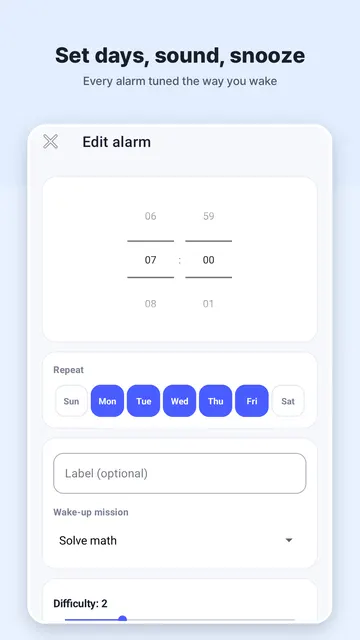
- Create an alarm and set your wake-up time
- Pick the mission you want to complete to dismiss it
- Set a snooze limit, or turn snooze off if you tend to oversleep
- For the Scan a code mission, place a barcode or QR code in another room so you have to walk to it
- For the Photo mission, register a spot you can only reach once you are out of bed
- Turn on the spoken time briefing to hear the time as you wake up
WHO IS THIS FOR?
- People who struggle to get out of bed and need more than a snooze button
- Heavy sleepers who want a reliable alarm that rings even after a reboot
- Anyone who wants a private, ad-free alarm app with no account required
- Anyone building a better morning routine with wake-up streaks and stats
TIPS FOR WAKING UP ON TIME
- Choose a mission that makes you move, like Walk steps or Scan a code
- Let adaptive difficulty do its job: the more you snooze, the harder it gets
- Use the sunrise screen and volume fade-in if a sudden alarm feels harsh
- Check your wake-up streaks to see how your mornings are going
- Turn snooze off entirely on mornings when you cannot afford to oversleep
COMMON QUESTIONS
- How does it stop me from oversleeping? You must complete one of eight missions, such as solving math, scanning a QR code, or taking steps, to dismiss the alarm.
- Is my data safe? Yes, all stats and alarm data stay on your device; there is no sign-up or cloud uploading.
- Can I adjust the difficulty? The app features adaptive difficulty that changes based on your snooze habits.
- Does it have gentle wake-up options? It includes a gradual volume fade-in and a sunrise screen to start your morning.
PRIVACY AND PERMISSIONS
- No ads, no analytics, no account, no sign-up
- Alarms, stats and mission data stay on your device — nothing is uploaded
- Camera, microphone and motion sensors are used only for the mission you choose
Stop oversleeping. Download Good Morning Alarm and wake up for real.