About the app
LockVR is a VR Player DLNA Vault app for Android that shows 180°, 360° and 3D video inside a mobile VR headset or directly on your phone. It can stream from a PC or NAS through DLNA and SMB without copying files, and it hides private clips behind a passcode. It suits headset owners, people who store media on network servers, and anyone wanting a locked space for personal videos.
VR Player DLNA Vault - LockVR plays 180°, 360° and 3D videos (side-by-side or top-bottom) on a mobile VR headset or right on your phone screen.
Stream virtual reality video from your PC or NAS over DLNA and SMB, and keep private clips in a passcode-locked vault.
WORKS WITH
- Mobile VR headsets you slot your phone into — lens layout measured on a real headset, with touchpad tap, swipe and long-press support
- Works with Gear VR and Cardboard-style viewers. Trademarks belong to their respective owners; LockVR is not affiliated with, endorsed or sponsored by those companies.
- Simple phone holders and other VR viewers
- No headset at all — VR mode also works on the phone screen with drag and gyro
VR VIDEO PLAYBACK
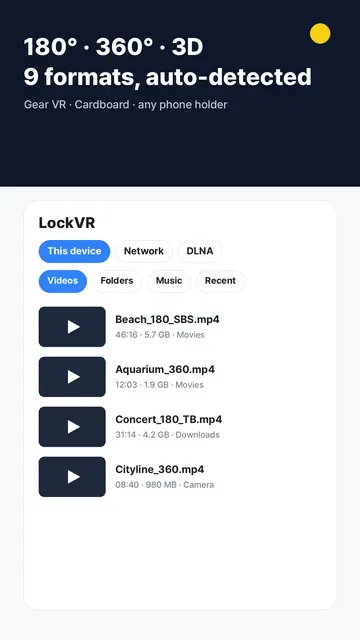
- 9 formats: Flat / 180° / 360° × Mono / SBS / TB, detected automatically from the file name and picture size
- Headset mode: split-screen for both eyes with lens distortion correction
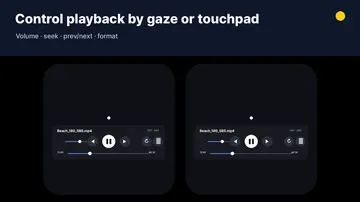
- Look-to-select controls: a gaze cursor plus headset touchpad support (tap, swipe, long-press to recenter)
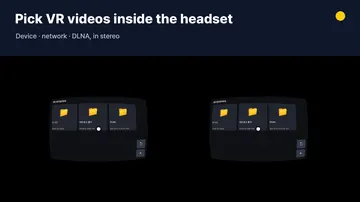
- VR library: browse your device, network folders and DLNA servers without taking the phone out of the headset
- In-headset control panel for volume, seek, previous/next and format switch
STREAM FROM YOUR PC OR NAS
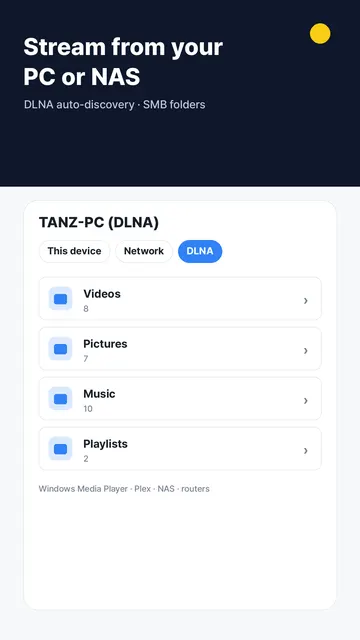
- DLNA / UPnP media servers are found automatically on your Wi-Fi (media server software on PCs, NAS and routers)
- SMB network folders with saved logins
- Play directly over the network — no copying required
LOCKED VAULT
- Move videos into a passcode-protected vault; they disappear from the normal list and from the system gallery
- The vault is excluded from the recent-apps preview
EVERYDAY VIDEO AND MUSIC PLAYER
- Local videos and music with folders, recents and search
- Gestures for brightness, volume and seeking
- Playback speed, A-B repeat, picture-in-picture and background audio
- Open links (HTTP, HLS, DASH) and files from other apps
GETTING STARTED
- Open a local file, a network folder or a DLNA server from the library
- The format is picked from the file name and picture size; switch it on the control panel if needed
- Use headset mode, place the phone in your viewer and navigate with the gaze cursor or touchpad
- Long-press the touchpad to recenter the view
WHO IS IT FOR?
- Anyone who wants to watch 180°, 360° and 3D movies on a mobile VR headset
- People who need a secure, passcode-protected vault to hide private videos from the gallery
- Those who want to stream media from a PC, NAS or DLNA server without copying files
- Anyone looking for a local video and music player with gestures and picture-in-picture
TIPS
- Headset mode is designed around the lens layout of a 2017 touchpad headset; other viewers can be tuned with the built-in lens sliders.
- On some headsets, the manufacturer's VR service may launch on insertion; insert the phone without engaging the USB connector to use any third-party player.
- Playback of network video depends on your Wi-Fi speed and the server's transcoding.
COMMON QUESTIONS
- Which headsets are supported? Mobile VR headsets you slot your phone into, including touchpad models and simple phone holders — or watch directly on your screen.
- How does the vault work? Videos moved to the vault are hidden from the system gallery and the recent-apps preview.
- Does it require an account? No sign-up is needed, and your data stays on your device.
- What network protocols are supported? DLNA/UPnP servers are found automatically on Wi-Fi, and SMB network folders are supported.
PRIVACY AND PERMISSIONS
Everything stays on your device. Server logins, the vault and your playback history are never uploaded. In VR mode the rotation sensor is used only to compute where you are looking. No sign-up.
LockVR — a VR player, DLNA and SMB streamer and private video vault in one app.