Phone storage full? Clean up photos and videos first (Android)
Why an Android phone says storage is full "for no reason", where the space usually goes, and a 20-minute order for clearing duplicate photos, screenshots and large videos without losing the ones you want.
"Storage full" usually arrives at the worst moment: a camera that will not save, an update that will not install. On most phones the biggest single block is the gallery: photos, videos, screenshots and the images that chat apps save automatically. Clearing apps' cache helps for a day; sorting the gallery helps for months.
1. See where the space really is
Open Settings → Storage (on Samsung: Settings → Device care → Storage). Look at Images, Videos, Apps and Trash. If System looks huge, that is normal: it includes the operating system and space reserved for updates, and you cannot shrink it much.
2. Why "full for no reason"
- Trash still uses space. On Android 11 and later, deleted photos sit in the trash for about 30 days and still count. Empty it once you are sure.
- Chat apps save every photo and video people send you, often in their own folders. Check each messenger's storage settings.
- Downloads and old installer files pile up quietly.
- Offline maps, music and videos from streaming apps can be several gigabytes.
3. A 20-minute order that frees the most
- Videos, largest first. One minute of 4K video can be 300–400 MB. A handful of old clips often beats a thousand photos.
- Screenshots. Receipts, codes and maps you needed once. Most can go.
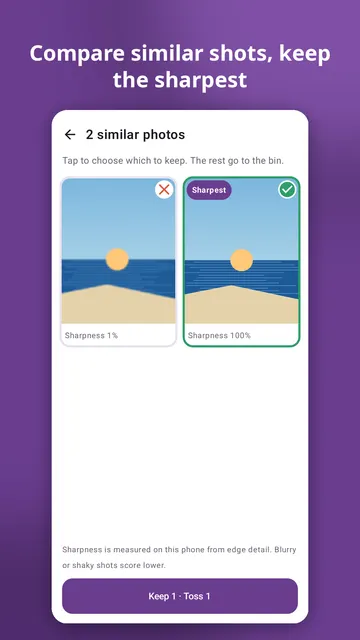
- Similar and burst shots. Keep the sharpest one of each group.
- One month at a time for the rest, so you always finish what you start.
- Empty the trash at the end. Until then the space is not really back.
4. Before you delete anything
- If your photos back up to a cloud, deleting from the phone's gallery app may also delete the cloud copy. Check your backup app's settings before a big clean-up.
- Do it in small sessions. Tired people delete the wrong things.
- Favourite the photos you never want to lose, so later clean-ups skip them.
Deleted something by mistake? See where deleted photos go and how to get them back.
Cleaning the gallery with Prunedeck
Prunedeck shows your photos one at a time: swipe left to toss, right to keep, up to favourite, down to decide later, with unlimited undo. Ready-made piles start with the biggest wins: screenshots, videos largest first, files over 10 MB, oldest first or one month at a time. Similar burst shots appear side by side with the sharpest one suggested. Tossed photos go to a bin you can review, then to the phone's trash, and the app only counts space as freed once it is really gone. It works on your phone with no internet permission, no account and no ads.